Blog · 10 min read
3 Accessibility Statement Templates With Dated Scan Records

An accessibility statement is a published page that tells visitors how accessible your website is, what still needs work, and how to reach you when something doesn’t work. This article gives you three copy-ready templates you can adapt in minutes, a checklist of what to include, and plain-language guidance so the finished statement reads like it was written for people, not lawyers.
TL;DR:
A credible accessibility statement must clearly specify the conformance standard, known limitations, and tested browsers or assistive technologies to ensure transparency.
Including specific barriers like missing captions or keyboard navigation issues helps visitors understand exactly what to expect from the site.
Publishing the statement with a recent review date and maintaining records of tests and fixes ensures it remains accurate and trustworthy over time.
Positioning the statement prominently in the footer with a stable URL and explaining third-party content clarifies what is within your control.
Regular updates backed by documented scans and remediation logs build confidence and prevent legal or reputational risks.
Table of Contents
Accessibility Statement Examples You Can Copy and Adapt
Most website owners freeze up staring at a blank page, so start from one of these three shapes instead. Each fits a different situation: a small site that needs something honest and fast, a larger organization that wants full documentation, and a one-off page for a specific event or campaign.
The minimal template works for small businesses, freelancers, and low-traffic sites that need a real statement today, not next quarter.
The complete template suits e-commerce platforms, membership sites, and any organization that wants to show its work. Break it into labeled sections:
-
Conformance status — name the standard and state whether you’re fully, partially, or non-conformant.
-
Measures taken — a short paragraph on how accessibility is built into design and development.
-
Known limitations — specific, named barriers (not “some issues may exist”).
-
Technical specifications — browsers, assistive technologies, and platforms you’ve tested against.
-
Feedback and contact — how to report a problem and when to expect a reply.
-
Preparation of this statement — self-assessment or third-party audit, and the date.
The event-specific template fits a landing page, webinar registration form, or limited-run campaign page where the full sitewide statement doesn’t apply.
Whichever version you start from, replace every bracketed placeholder with something specific. “Some pages may have issues” tells a visitor nothing useful; “our PDF course catalog is not screen-reader accessible” tells them exactly what to expect. The W3C Web Accessibility Initiative’s statement guidance offers additional example wording and a generator if you want a third reference point beyond these templates.
What to Include in an Accessibility Statement
A statement earns trust by being complete, not by being long. Government templates from agencies like the GSA consistently include the same five components, in roughly this order:
-
Conformance status. Name the standard, typically WCAG 2.2 AA, and say plainly whether your site is fully conformant, partially conformant, or non-conformant. Vague language here undermines everything that follows.
-
Known limitations. List the actual barriers that exist right now: a video without captions, a form field that doesn’t announce errors to screen readers, a color contrast issue on a specific page template.
-
Feedback contact. Give an email or form, state a realistic response window, and name an escalation path if the first contact doesn’t resolve the issue.
-
Technical scope. Note which browsers, devices, and assistive technologies (screen readers, magnification tools, voice control) you’ve actually tested.
-
Date. Include a “last reviewed” date and, ideally, a review cadence so visitors know the statement isn’t stale.
Skipping any one of these doesn’t just weaken the statement legally. It leaves a visitor guessing about exactly the information they came to find.
Writing in Plain Language People Actually Understand
A statement full of criterion numbers (“Fails 1.4.3 Contrast Minimum”) reads like an audit report, not a message to a person trying to use your site. Swap technical citations for plain descriptions of what the visitor will actually experience.
-
Instead of “does not meet 1.1.1 Non-text Content,” write “some images don’t have text descriptions for screen readers.”
-
Instead of “keyboard operability issues exist on interactive elements,” write “a few buttons on our booking page can’t be reached using only a keyboard.”
-
Instead of “video content lacks synchronized captions,” write “our product demo videos don’t currently have captions.”
Favor verbs over jargon, and be specific about what’s missing rather than hedging with “may not fully support.” The Web Accessibility Initiative recommends describing barriers in exactly these user-focused terms rather than leaning on standard citation numbers alone. And make the statement page itself practice what it preaches: real headings, readable font size, links with clear labels, and full keyboard access. Plainlanguage has concrete tools for cutting reading level without dubbing down the content.
Pro Tip: For PDFs, write “this document is not fully accessible; contact us for an alternate format.” For video, write “captions are available on X videos but missing on Y.” For interactive controls, name the specific control: “the date picker on our reservation form doesn’t support keyboard navigation yet.”
Where to Publish Your Statement for Maximum Visibility
An accessibility statement only helps people if they can find it in the moment they need it, which usually means mid barrier, not while browsing a policies archive.
-
Place a persistent link in your sitewide footer, labeled plainly as “Accessibility” or “Accessibility Statement.”
-
Don’t bury it inside a generic “Policies & Notices” page where it’s one link among a dozen unrelated documents.
-
Use a stable URL that won’t change across redesigns, and drop a short inline note near complex interactions like downloadable PDFs or booking widgets.
-
Follow Section508 recommending a direct, sitewide link rather than a buried reference, since that placement is what actually gets used when someone hits a barrier.
How to Keep Your Statement Accurate Over Time
A statement dated three years ago signals neglect even if the site has genuinely improved. Set a cadence you can actually keep: automated scans running continuously, manual spot checks quarterly or after any major release, and a full review at least once a year.
-
Keep a simple record of what you tested, when, and what you fixed, and reflect the “last reviewed” date in the statement itself.
-
State your assessment method honestly: self-assessment, or a third-party audit, without implying more certainty than the method supports.
-
Set a real response commitment for feedback, such as replying within five business days and outlining next steps for anything that takes longer to fix.
Federal guidance under OMB Memorandum M-24-08 directs agencies to actively track and document their Section 508 progress rather than publish a static, one-time statement. That same discipline, dated records tied to real fixes, works just as well for private businesses.
Reviewing annually at minimum, per PlainLanguage.gov’s broader guidance on keeping public-facing documents current, keeps the statement functioning as a living record instead of a compliance artifact nobody revisits.
How AccessWiser Documents Scans, Fixes, and Statement Updates
A credible statement rests on a paper trail, not just good intentions. AccessWiser’s accessibility solutions generate exactly the records a defensible statement needs to reference:
-
Dated scan reports showing what was checked and when.
-
An issue list tied to the specific WCAG 2.2 AA success criterion each finding affects.
-
A remediation log tracking what was fixed, by whom, and on what date.
Those records let you write specific, verifiable language instead of vague reassurance, something like “we re-scan monthly and re-check high-risk pages after each release” instead of “we test regularly.” If you offer visitors an optional accessibility widget, with features like adjustable contrast, text settings, or reduced-motion display, disclose it plainly in the statement as a supplementary tool, not a substitute for fixing the underlying code.
AccessWiser’s own accessibility statement shows this pattern in practice, dated records paired with plain-language descriptions of what’s fixed and what’s still in progress.
Writing Statements for Different Types of Sites
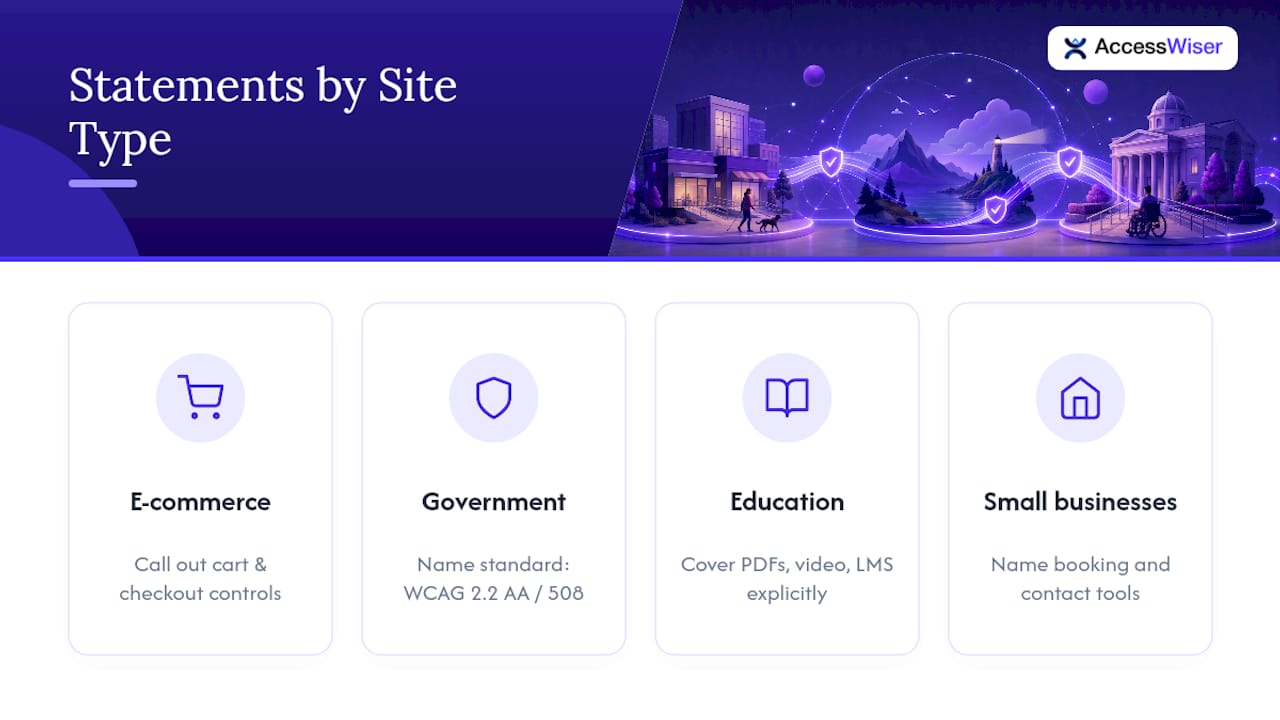
An e-commerce site’s biggest liability usually sits in checkout: form fields, payment steps, and address autocomplete widgets that trip up screen readers. Your statement should call out cart and checkout accessibility by name, since that’s where an inaccessible experience directly costs a sale.
Government and public-sector sites carry the heaviest documentation expectations. Statements typically need to name the specific standard (often WCAG 2.2 AA under Section 508), state the assessment method, and include a formal complaint or escalation process beyond a simple contact email, following the same pattern GOV.UK provides in its sample public-sector accessibility statement.
Education sites, particularly those serving K through 12 or higher ed, need to address course materials and learning platforms specifically: are PDFs, video lectures, and third-party learning management tools covered, or excluded? Say so explicitly, since parents and students often search the statement for exactly that answer.
Smaller service and local business sites can stay close to the minimal template, but should still name any booking, scheduling, or contact-form tools by name rather than referring vaguely to “some site features.”
Common Mistakes That Undermine an Accessibility Statement
The most damaging mistake is vagueness dressed up as reassurance. A line like “we strive to make our website accessible to all users” says nothing and protects nothing. Name the standard, name the gaps.
Publishing a statement once and never updating it is a close second. A statement dated 2022 with no changes since reads as abandoned, even if the underlying site has genuinely improved.
Overclaiming conformance is a legal and reputational risk. Claiming “full WCAG 2.2 AA conformance” when you haven’t actually tested every page invites exactly the kind of complaint the statement was meant to prevent. State partial conformance honestly if that’s the truth.
Finally, many statements bury contact information or omit a response timeframe entirely. A visitor who hits a barrier and finds no clear way to report it, or no sense of when they’ll hear back, gets the opposite of the reassurance the statement was supposed to provide.
Disclosing Third-Party Content and Embedded Tools
Your statement should distinguish clearly between what you control and what you don’t. Embedded maps, payment processors, chat widgets, and third-party booking systems often carry their own accessibility gaps that your team can’t fix directly.
State this plainly: “Some content on this site, including [named third-party tool], is provided by a third party and may not fully meet the same accessibility standard.” Link to that vendor’s own accessibility statement when one exists, and note whether you’ve evaluated the integration or simply embedded it as delivered.
Digital publications and documents deserve the same honesty. An EPUB accessibility checklist built on WCAG standards offers a useful model for describing exactly which barriers exist in downloadable or embedded content, rather than lumping third-party material into one blanket disclaimer.
What the Research Actually Supports
The conventional advice treats an accessibility statement like a legal disclaimer: write it once, publish it, move on. That approach gets the purpose backward. A statement is a living disclosure, and its credibility comes from specificity and dates, not from confident-sounding language.
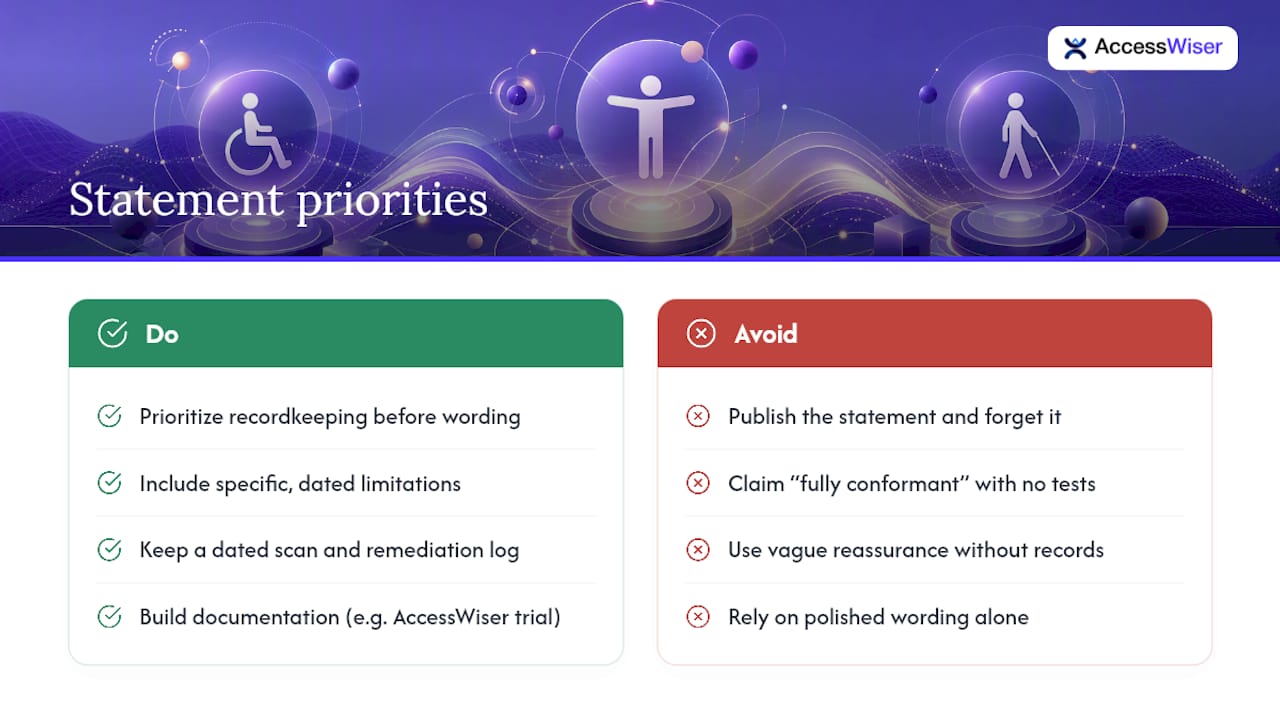
Where most guides fall short is treating templates as fill-in-the-blank exercises without addressing what happens after publication. A statement that says “fully conformant” with no testing record behind it is riskier than an honest “partially conformant” statement with a documented remediation log. Vague reassurance protects no one, and specific, dated limitations protect everyone.
If you take one thing from this, prioritize the recordkeeping before the wording. A rough but honest statement backed by real scan and remediation records beats a polished one with nothing behind it. Start with AccessWiser’s free trial to build that documentation trail, then write the statement around what you actually find.
— The AccessWiser Team
Sources
Recommended
Articles on this blog are general information about web accessibility, not legal advice. Laws change and their application depends on your specific situation — for decisions with legal consequences, consult a qualified legal professional.
Articles on this blog are general information about web accessibility, not legal advice. Laws change and their application depends on your specific situation — for decisions with legal consequences, consult a qualified legal professional.